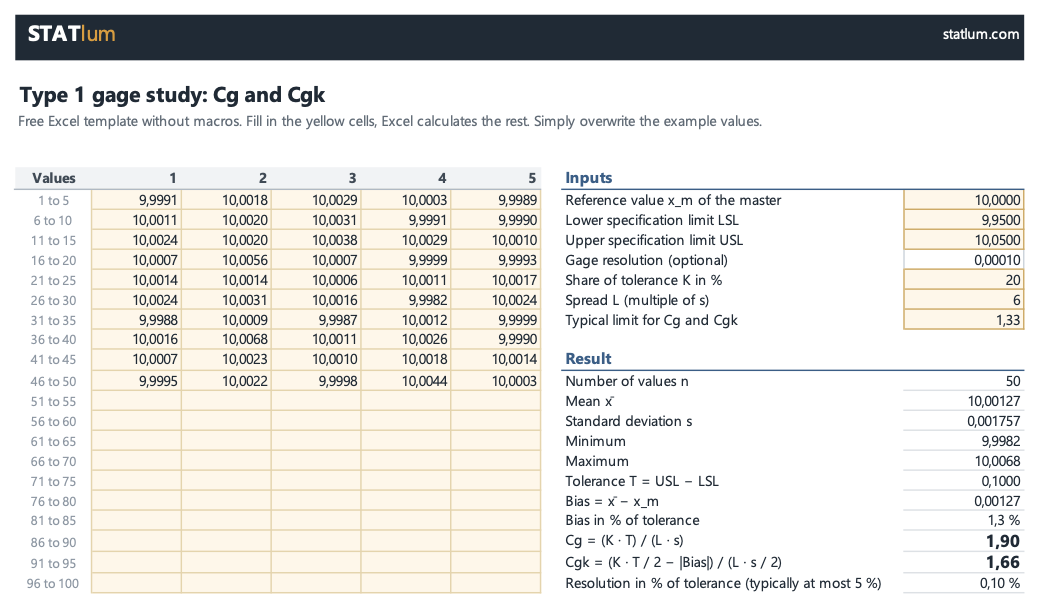
Excel template: type 1 gage study (Cg, Cgk)
Cg, Cgk and bias from up to 100 measurements on a reference standard, with resolution check and run chart.
Four free Excel templates for measurement system analysis (MSA) and process capability: type 1 gage study with Cg and Cgk, gage R&R with ANOVA, type 3 study without appraiser influence and Cpk. Free by email, as .xlsx without macros, with open formulas, no watermark and printable on one A4 page, in English and German, calculated as in STATlum.
Cg, Cgk and bias from up to 100 measurements on a reference standard, with resolution check and run chart.
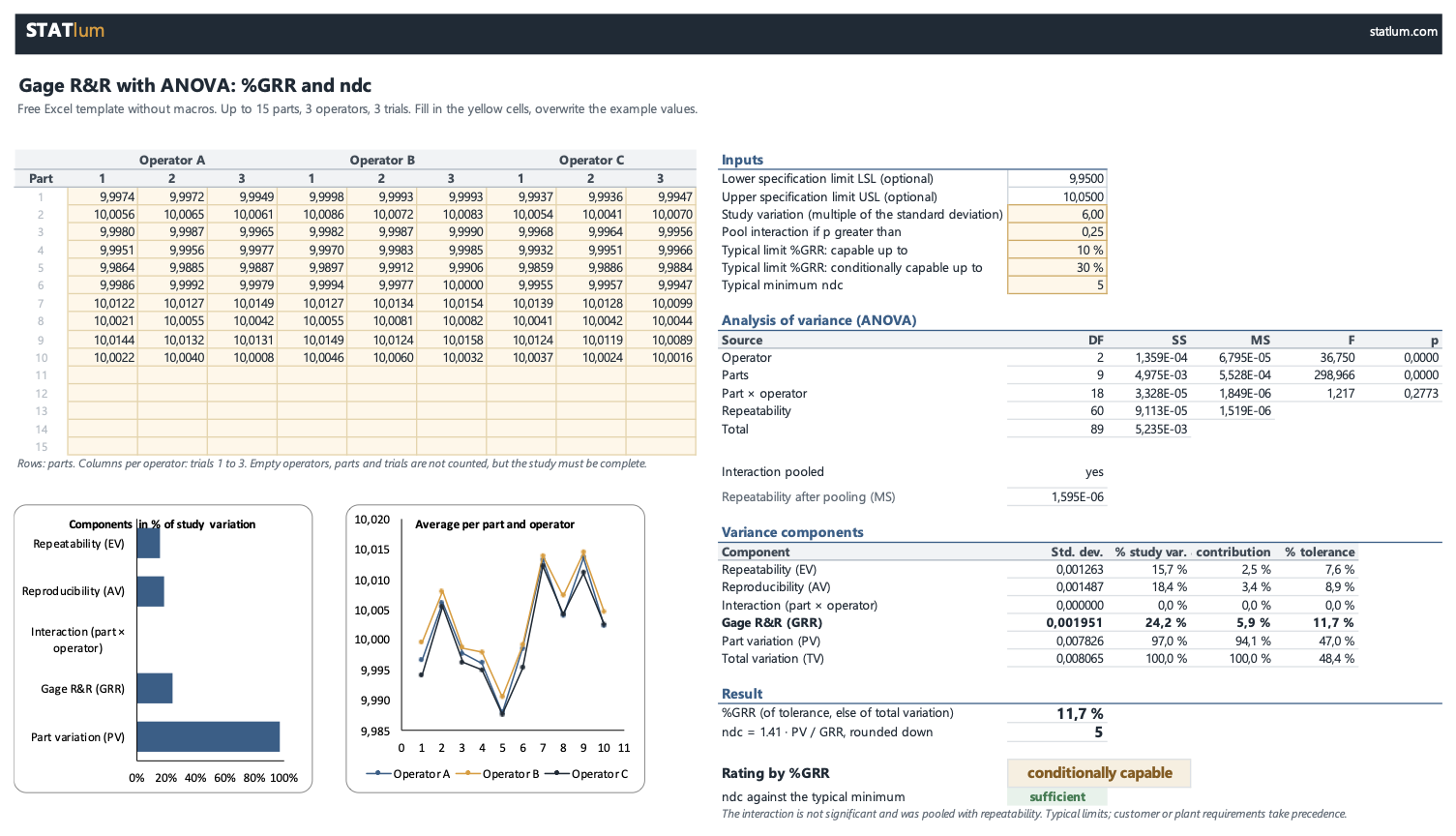
ANOVA method for up to 15 parts, 3 appraisers and 3 trials: EV, AV, GRR, PV, %GRR and ndc, with bar and appraiser charts.
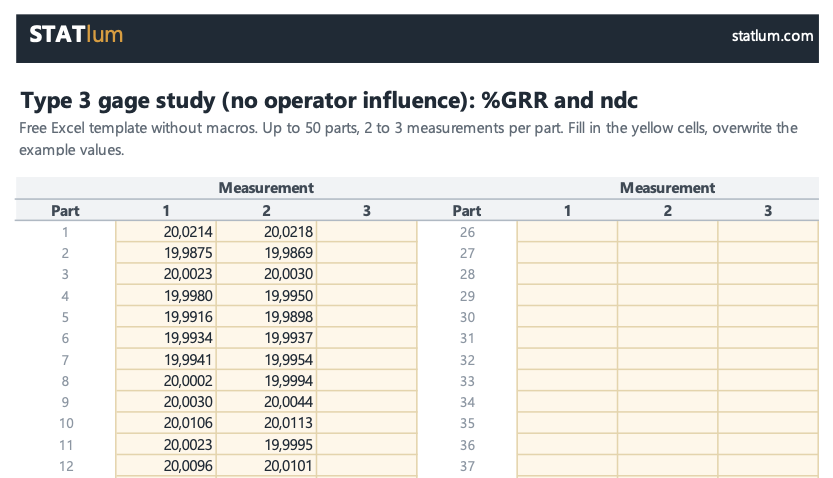
Gage R&R without appraiser influence for automatic gages: up to 50 parts with 2 or 3 measurements, EV, PV, %GRR and ndc, with bars and values per part.
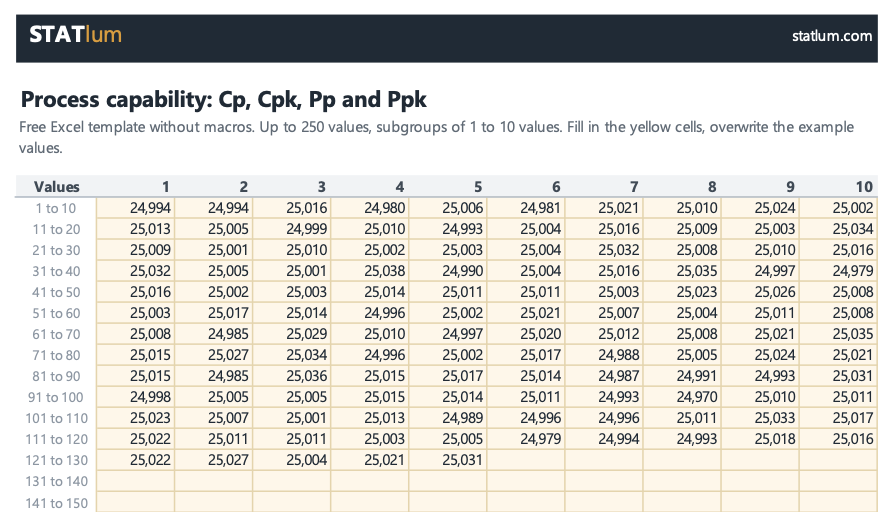
Pp, Ppk, Cp, Cpk and ppm from up to 250 values in subgroups of 1 to 10 values, one- or two-sided, with histogram and index bars.
Enter your email address: you receive the download links to all four templates, in English and German.
For a single study of fixed size a template is enough: enter values, read the result, file it away. As the number of characteristics and studies grows, so does the effort: files are copied and adapted, formulas are overwritten by accident, and older versions are hard to trace.
Software pays off when you need several procedures, many characteristics or a different study size, for example MSA 3 to 7A, VDA 5, Bosch Booklet 10, control charts or other distribution models, or when reports should look the same. For this there is STATlum Free, free of charge and offline on Windows. Typical sources of error in spreadsheets are described in the article MSA with Excel or software: sources of error and how to check.
Without a file you can use the calculators right in the browser: Cg/Cgk calculator, Gage R&R calculator, Cpk calculator.
Nothing. You only enter your email address and receive the download links by email. There is no watermark and no locked area.
Yes. Each measurement sheet prints on one A4 page, with the values in the block view as in STATlum.
No. They are plain .xlsx files without macros. They therefore also open where IT blocks macros, and they trigger no macro security warning.
Yes. All formulas are visible in the cells and no sheet is protected. The Guide sheet describes the calculation step by step.
Yes. Formulas and defaults match STATlum: type 1 study with K = 20 % and 6s, gage R&R with the ANOVA method and pooling of the interaction at p > 0.25, type 3 study with the ANOVA without appraisers, Cpk with the within-subgroup variation as in STATlum.
The templates show the common values, such as 1.33 for Cg, Cgk and Cpk or 10 % and 30 % for %GRR. What counts are the requirements of your customer or plant.
The templates are made for Microsoft Excel. Other spreadsheet programs may display charts and formatting differently.